

Twitch Clips Bot for Discord - Share Clips in Your Community Automatically
Published at Sun Nov 26 2023
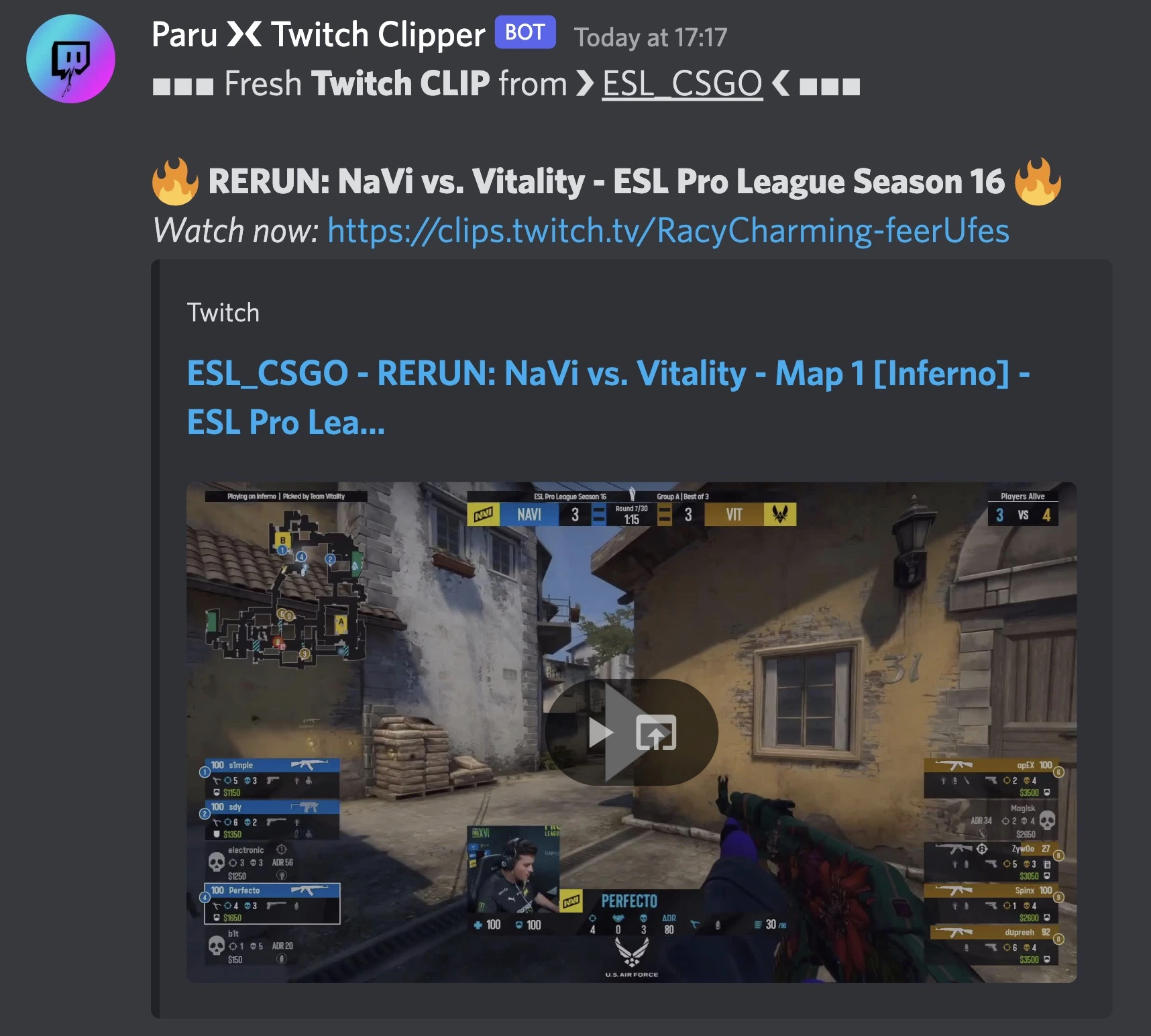
Pasting a Twitch clip link into Discord works, but only for the clips you happen to remember. If you want every new clip of a streamer to show up in your server, a bot has to do it.
What Paru Twitch does
You tell the bot which Twitch channel to follow and which Discord channel to post in. New clips of that channel are then posted automatically, as a link or, if you turn on uploading, as a file (short clips on every plan, longer ones on boosted servers with premium). Clips are collected every 3 hours by default, faster on premium plans, and premium plans can customize the post.
Setup
- Add Paru Twitch to your server.
- Run
/parutwitch sync addin the target channel. - Enter the Twitch channel name and enable the clip sync.
The free plan includes one sync per server, and paid plans allow more. See the manual for all commands, or the longer setup guide.
Posts & upload or link new Twitch Clips to a Discord
Instant post to Discord events and a channel if a streamer is live
Customize clip & go-live message
When it makes sense
- Your own server: clips of your streams appear without you posting them.
- A fan server: follow the streamers of a team or a game and keep one channel for highlights.
- Several streamers: give each their own channel so the feed stays readable.
If you also want to know when a stream starts, enable the live sync in the same command. See live notifications.