

Google Calendar to Discord - How to Sync Your Calendar with a Bot
Published at Tue Sep 08 2026
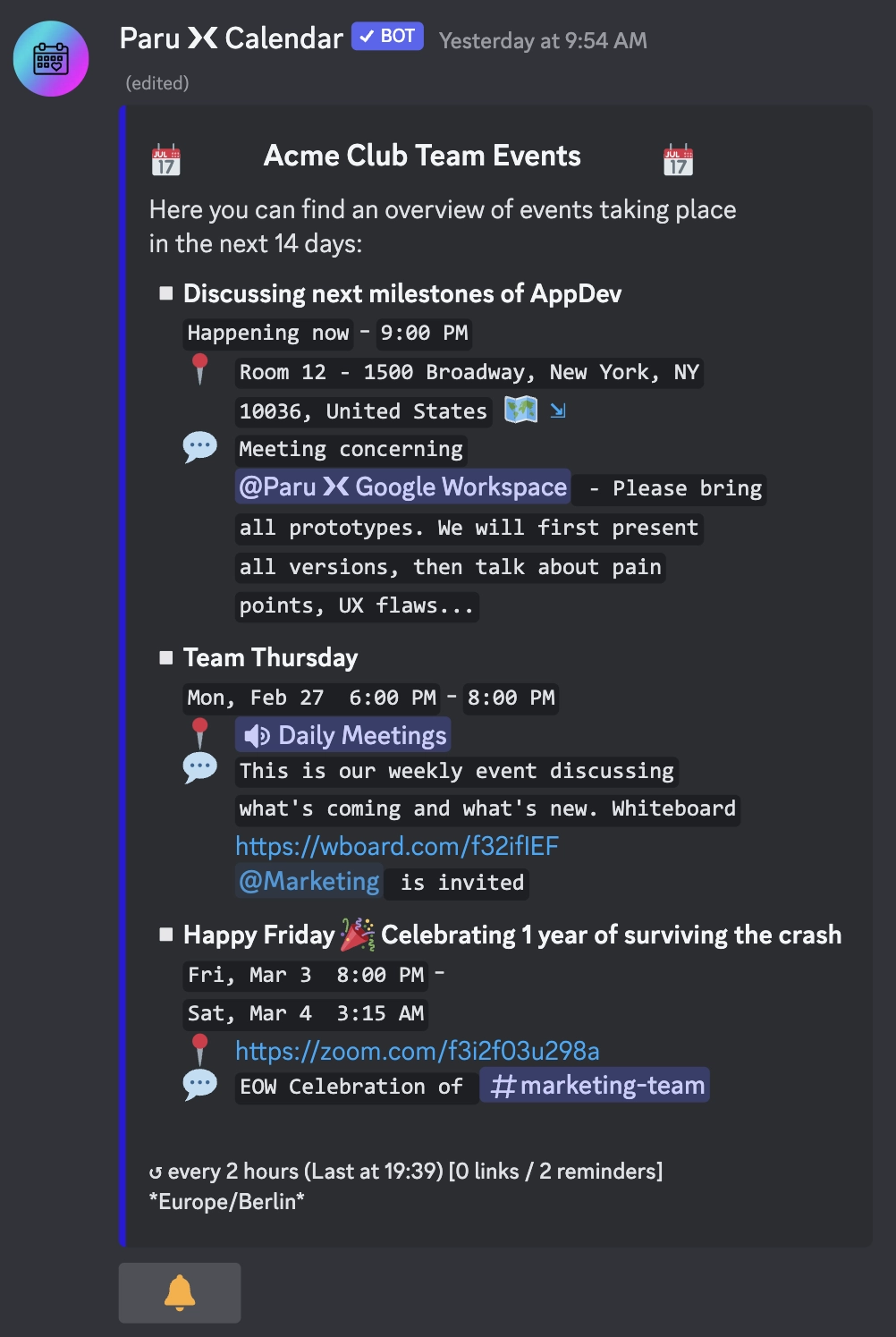
Most teams and communities plan in Google Calendar, but Discord has neither a calendar view nor an official Google Calendar integration. The usual workaround is pasting event details into a channel by hand, where they scroll out of sight within a day. A calendar bot closes that gap: it reads your calendar and shows the events in a Discord channel that updates itself.
This guide uses Paru, but the idea is the same for any bot that supports iCal (ICS) links.
How to add Google Calendar to Discord
- Add Paru to your Discord server and grant the requested permissions.
- In the channel where the calendar should live, run
/paru create. Choose how many days ahead events are shown and, optionally, a name for the calendar. - In Google Calendar open Settings, pick your calendar and copy the Secret address in iCal format (or the public iCal address if the calendar is public).
- Run
/paru linkand paste the address. Paru fills the calendar and keeps it up to date.
Anyone who has the secret address can read the calendar, so only share it with the bot.
What you get
The calendar lives in a single message that refreshes itself, so the channel stays tidy. You can:
- link one calendar per Paru calendar on the free plan, or combine several (up to 12) on paid plans, for example a team calendar plus a personal one
- run one calendar per channel, or several per server
- hide or show the end time, description and location
- set the time zone with
/paru timezoneand pick one of more than 20 languages - turn on two-way sync with Discord Events
- show Google Calendar event and calendar colors
By default the calendar refreshes every 24 hours, and premium plans refresh faster. Use /paru refresh to test a change right away.
PM & Channel reminders
Timezone-native. Fully customizable.
2-Way- Discord Events sync
25 language support. Mobile-optimized.
Other calendars that work
Paru understands any ICS/iCal feed. The same steps work for Microsoft 365 and Outlook, Apple Calendar and most other calendar tools. Anything that can publish an iCal link can appear in Discord. See the manual for all commands.
FAQ
Is there an official Google Calendar integration for Discord?
No. Discord does not offer one. A bot such as Paru reads your calendar through its iCal (ICS) link and displays the events in a Discord channel.
Do I need to make my Google Calendar public?
No. You can use the secret iCal address from your Google Calendar settings.
Does it sync both ways?
The calendar content comes from Google Calendar into Discord. In addition, Paru can sync with the Discord-internal event system in both directions, which you can enable per calendar with /paru modify.
Can I combine several Google Calendars?
Yes, on paid plans. The free plan allows one link per Paru calendar, paid plans allow 2 to 12, so you can show several calendars together in one channel.