

TwitchDiscord Calendar
Show a Twitch Streamer's Schedule in Discord - Automatically
Published at Thu Nov 12 2026
Fans want to know when their favourite streamer goes live. Twitch shows the schedule on the channel page, but your Discord community will not check it. Here is how to bring it into Discord and keep it current.
Step 1: Get a calendar link for the schedule
Use our Twitch schedule to calendar link tool. Enter the streamer’s username and you get a calendar link that works with Google Calendar, Outlook and other calendar apps.
Step 2: Show it in a Discord channel
- Add Paru Calendar to your server.
- Create a calendar with
/paru createin a#stream-schedulechannel. - Link the calendar with
/paru linkand paste the link from step 1.
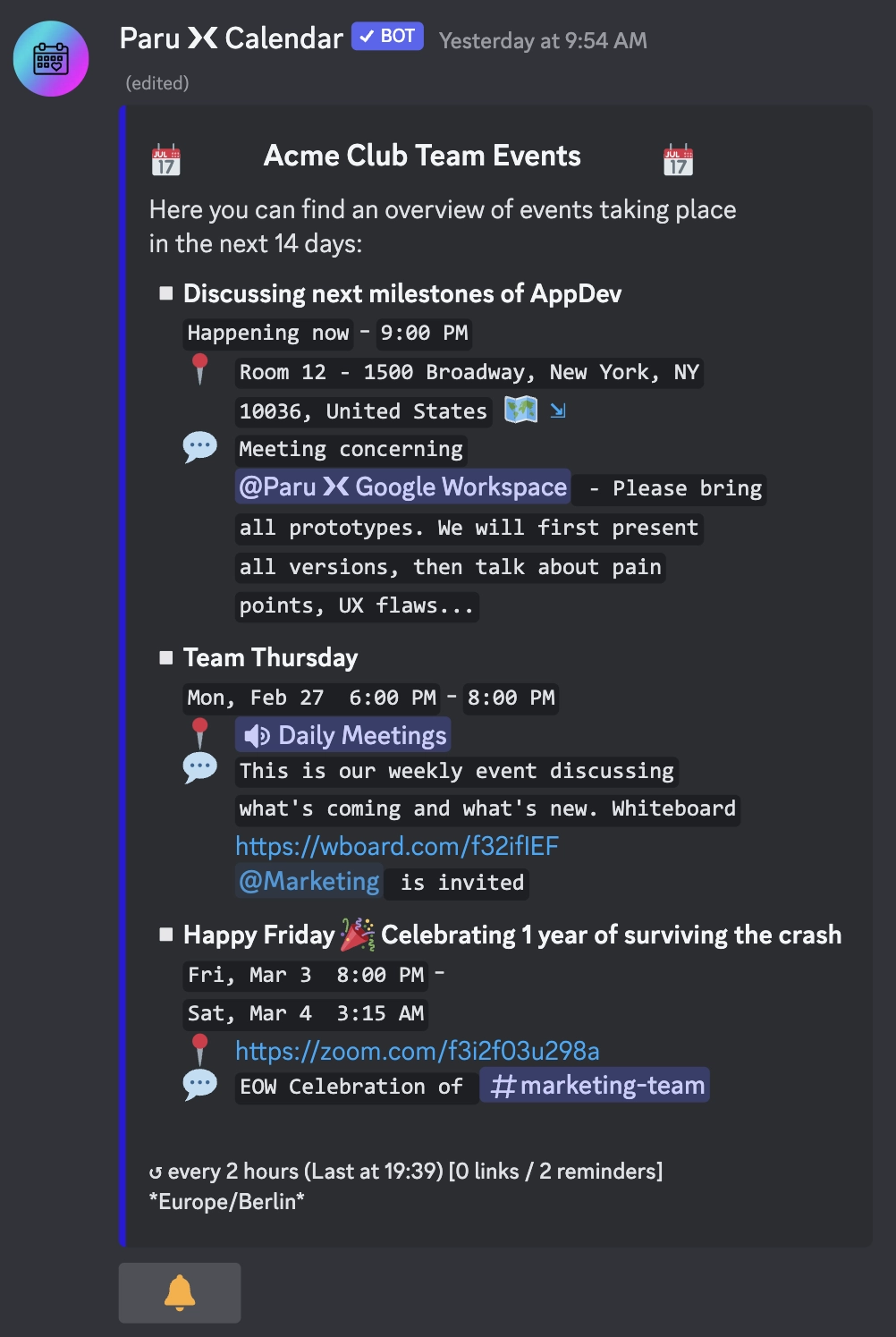
The calendar updates itself and shows upcoming streams. Add /paru reminder add to remind a role before a stream.
A calendar bot for your server with automatic time zone conversions? Try Paru ❯❮ Calendar, the Discord calendar bot, for free! Bring Google Calendar & other ics Calendars to Discord.
PM & Channel reminders
Timezone-native. Fully customizable.
2-Way- Discord Events sync
25 language support. Mobile-optimized.
PM & Channel reminders
Timezone-native. Fully customizable.
2-Way- Discord Events sync
25 language support. Mobile-optimized.
Add to Server
Get a message when the stream is live
A schedule tells you when a stream is planned, not when it actually starts. For that, use Paru Twitch: it can post to a channel when a streamer goes live. See Twitch stream notifications in Discord.