

Discord CalendarDiscord Server
Discord Calendar for Study Groups and Teams - Share Deadlines and Meetings
Published at Tue Nov 17 2026
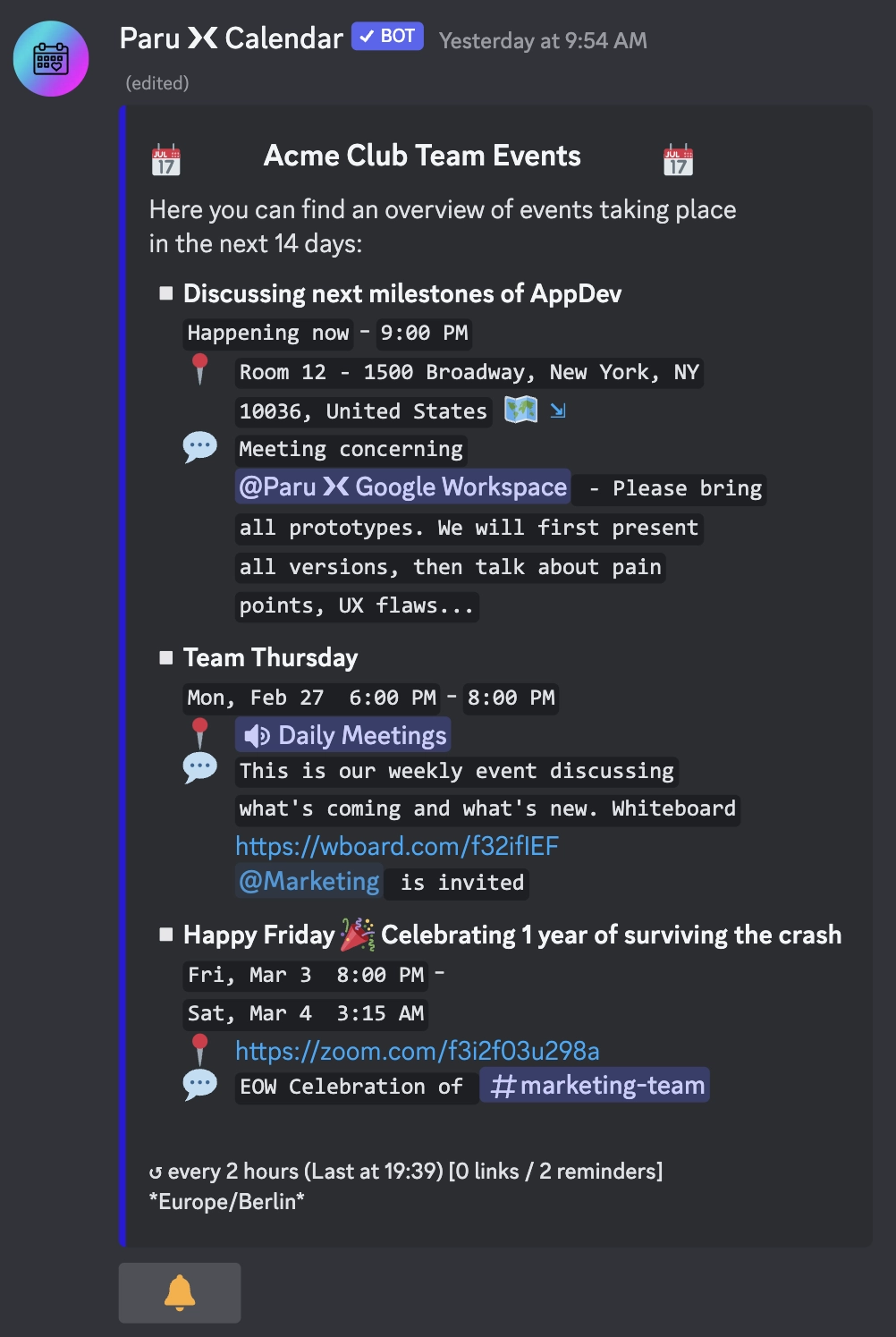
Study groups, school clubs and remote teams increasingly use Discord as their main chat. Deadlines, lectures and meetings still live in other calendar tools, so members have to look in two places. A calendar bot brings the existing calendar into the server.
What to show
- Exam dates, project deadlines and lecture times for a study group
- Stand-ups, workshops and office hours for a remote team
- Club events and meetings for a school or university server
Setup
- Publish the calendar you already use. Google Calendar, Outlook and Apple Calendar all offer an iCal link. See Google Calendar to Discord and Outlook and Apple Calendar to Discord.
- Add Paru, run
/paru createin an announcements or#calendarchannel, and/paru linkthe calendar. - Add reminders with
/paru reminder addfor the relevant role, for example@studentsor@team.
A calendar bot for your server with automatic time zone conversions? Try Paru ❯❮ Calendar, the Discord calendar bot, for free! Bring Google Calendar & other ics Calendars to Discord.
PM & Channel reminders
Timezone-native. Fully customizable.
2-Way- Discord Events sync
25 language support. Mobile-optimized.
PM & Channel reminders
Timezone-native. Fully customizable.
2-Way- Discord Events sync
25 language support. Mobile-optimized.
Add to Server
Tips
- Use separate calendars per course or per team, in separate channels.
- On a paid plan, link several calendars to one Paru calendar when you want an overview, for example all courses in one channel. The free plan allows one link per calendar.
- Choose a calendar that does not contain private appointments, because the linked events are visible to the channel.