

Discord Time Zones for Events - Show Every Member the Right Time
Published at Tue Oct 27 2026
In an international Discord server, “game night at 8 pm” means a different moment for everyone. People convert in their heads, get it wrong and miss the start. There are two reliable ways to fix this.
Use Discord timestamps in messages
Discord can display a time in each reader’s own local time zone. You write the time as a special code, for example <t:1735689600:F>, where the number is a Unix timestamp. Discord then shows the full date and time converted for every reader. Our date and time formatter generates these codes for you, so you do not have to calculate them.
Use this for announcements and one-off messages.
Use a calendar with a set time zone
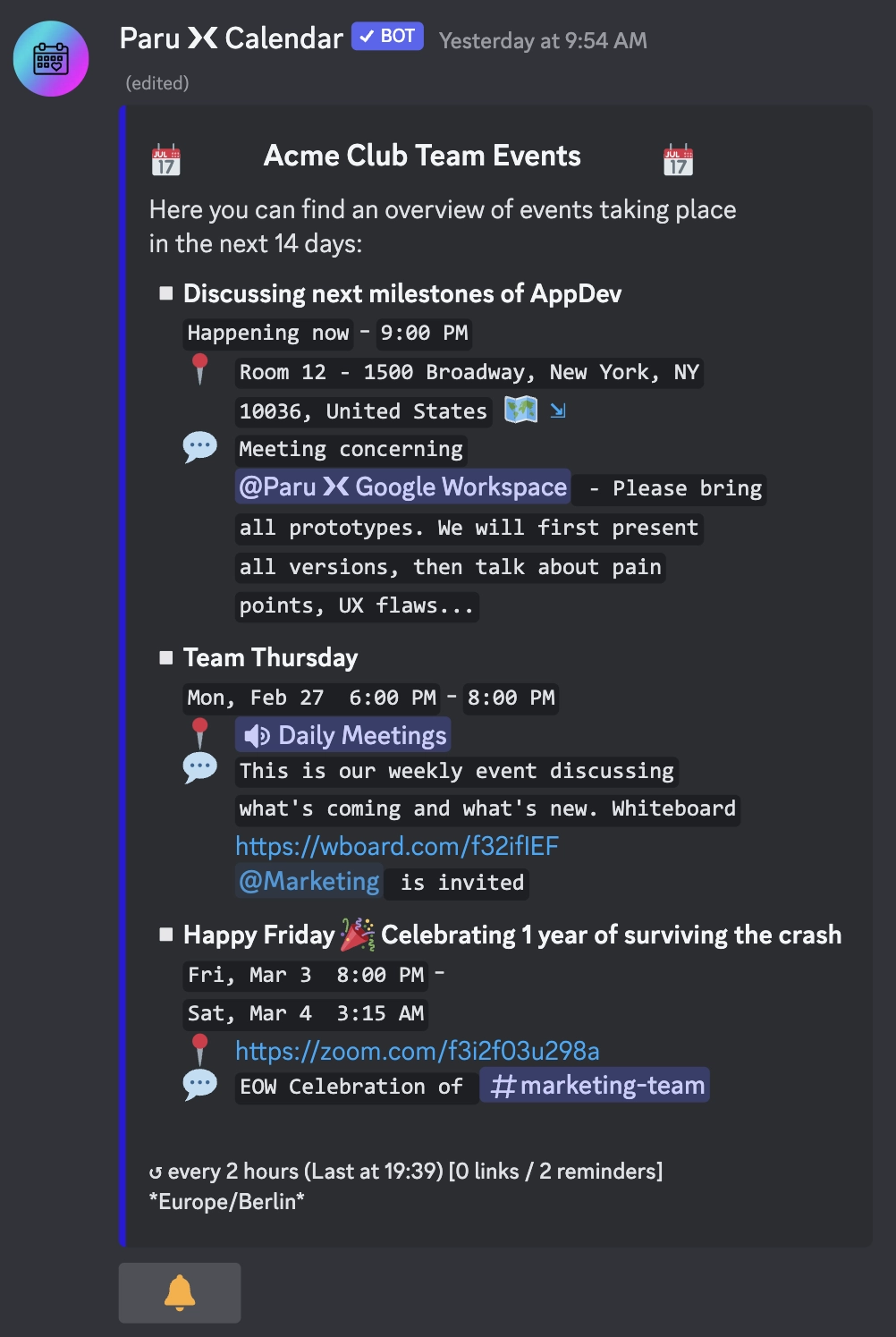
For a recurring schedule, a calendar bot is easier than writing timestamps by hand. By default, Paru shows event times in the calendar’s time zone, which you set with /paru timezone. Pick the zone your events are planned in, for example the zone of your Google Calendar, and say which one it is in the channel topic so members know what to convert from.
On premium plans you can turn on dynamic times with /paru modify, so every member sees events in their own local time. Paru then writes every time as a Discord timestamp, either as a date and time or as a relative time like “in 3 hours”. A raid at 20:00 in Berlin shows as 14:00 for someone in New York, and nobody has to convert anything. Dynamic times apply to reminders too.
PM & Channel reminders
Timezone-native. Fully customizable.
2-Way- Discord Events sync
25 language support. Mobile-optimized.
Checklist for international servers
- State the time zone every time you mention a time without a timestamp.
- Use timestamps for announcements.
- Keep one calendar channel with a clearly named time zone, or turn on dynamic times on a premium plan.
- Use reminders so people get a notice close to the start. See Discord event reminder bot.