

How to Choose a Discord Calendar Bot - 7 Things to Compare
Published at Tue Oct 20 2026
There are many Discord calendar bots, and they solve different problems. Some manage RSVPs for single events, others display an external calendar. Before you add one to your server, compare them on these seven points.
1. Where do your events live?
If your team already plans in Google Calendar, Outlook or Apple Calendar, pick a bot that can read an iCal (ICS) link. Then there is one source of truth and nobody has to enter events twice. If events are created spontaneously inside Discord, a bot with its own event commands may be enough. See how to add Google Calendar to Discord.
2. How does it show the calendar?
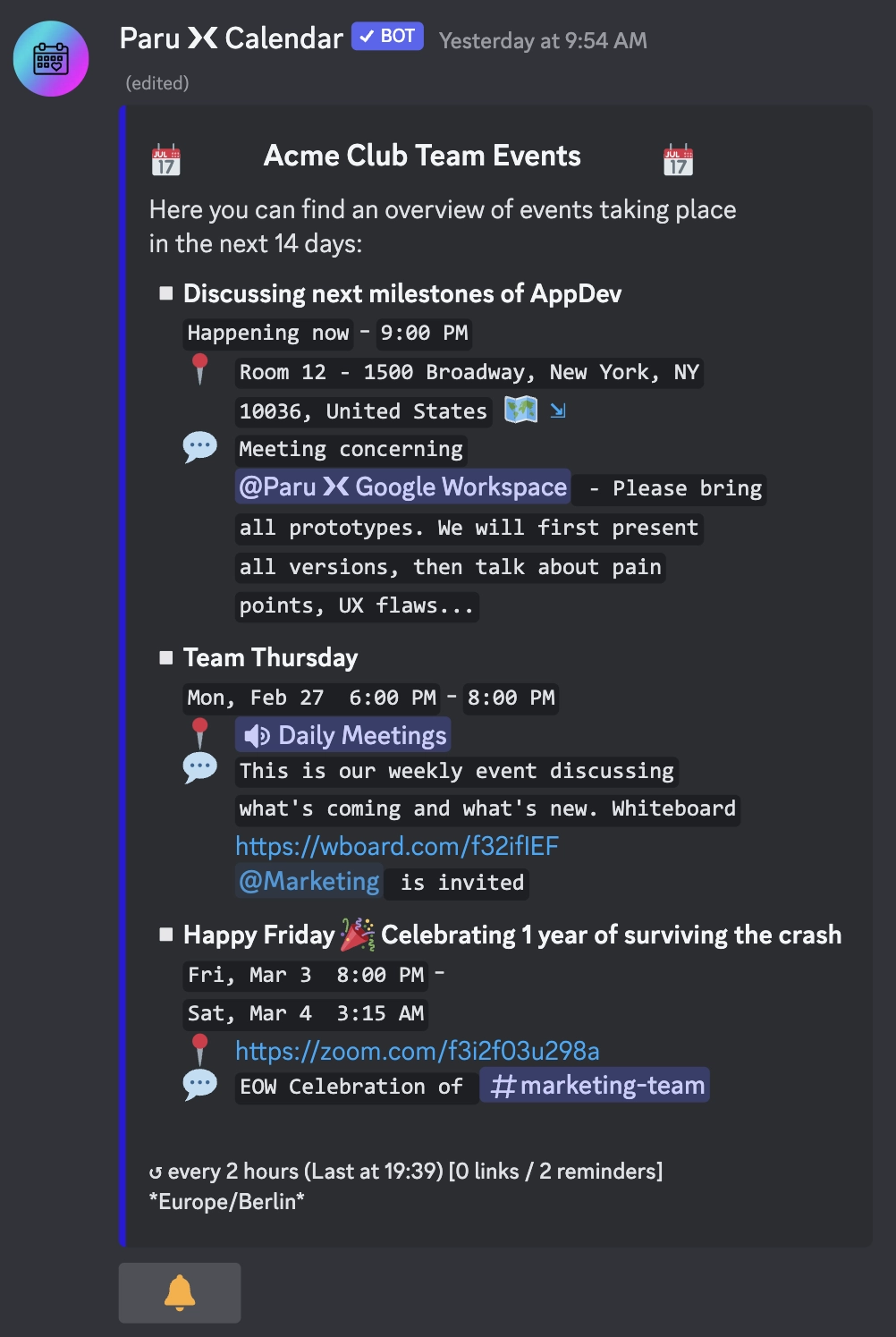
Some bots reply with a list when someone types a command. Others keep a calendar message in a channel that stays up to date by itself, which means members see upcoming events without asking. For a community, the always-visible version works better.
3. Reminders
Check who gets reminded and how: the whole channel, a role, or individuals. Also check how precise the timing is, because some bots only check periodically. For time-critical events such as raids, streams or meetings, precision matters. Our guide to event reminders explains the options.
4. Time zones
A calendar is only useful if the times are right. The best case is a bot that uses Discord timestamps, so every member sees events in their own local time. Also check whether you can set a time zone for the calendar itself, which matters for all-day events and daylight saving changes.
5. Discord Events integration
Discord has a built-in events feature. A bot that syncs with Discord Events in one or both directions lets members use the native “Interested” button and see events in the server’s event list, on top of the channel calendar.
6. Setup effort and customization
Look at how many commands you need to get running, and whether you can change what is shown (end time, location, description), the language and the look of the calendar. A bot you cannot configure usually ends up replaced.
7. Pricing and privacy
Compare what is free and what needs a paid plan, for example the number of calendars, refresh speed or reminder precision. If your community is in Europe, check where the bot’s operator is based and how it handles data.
PM & Channel reminders
Timezone-native. Fully customizable.
2-Way- Discord Events sync
25 language support. Mobile-optimized.
A quick checklist
- Can it read my existing calendar through an ICS link?
- Does the calendar update itself in a channel?
- Can it remind a role and individual members?
- Does it support my time zone and language?
- Does it sync with Discord Events?
- Is the free plan enough for my server?
Paru covers all of these points. You can see everything it does in the manual and the plans, or read does Discord have a calendar? for background.