

Outlook and Apple Calendar to Discord - Show Your Calendar in a Channel
Published at Tue Sep 22 2026
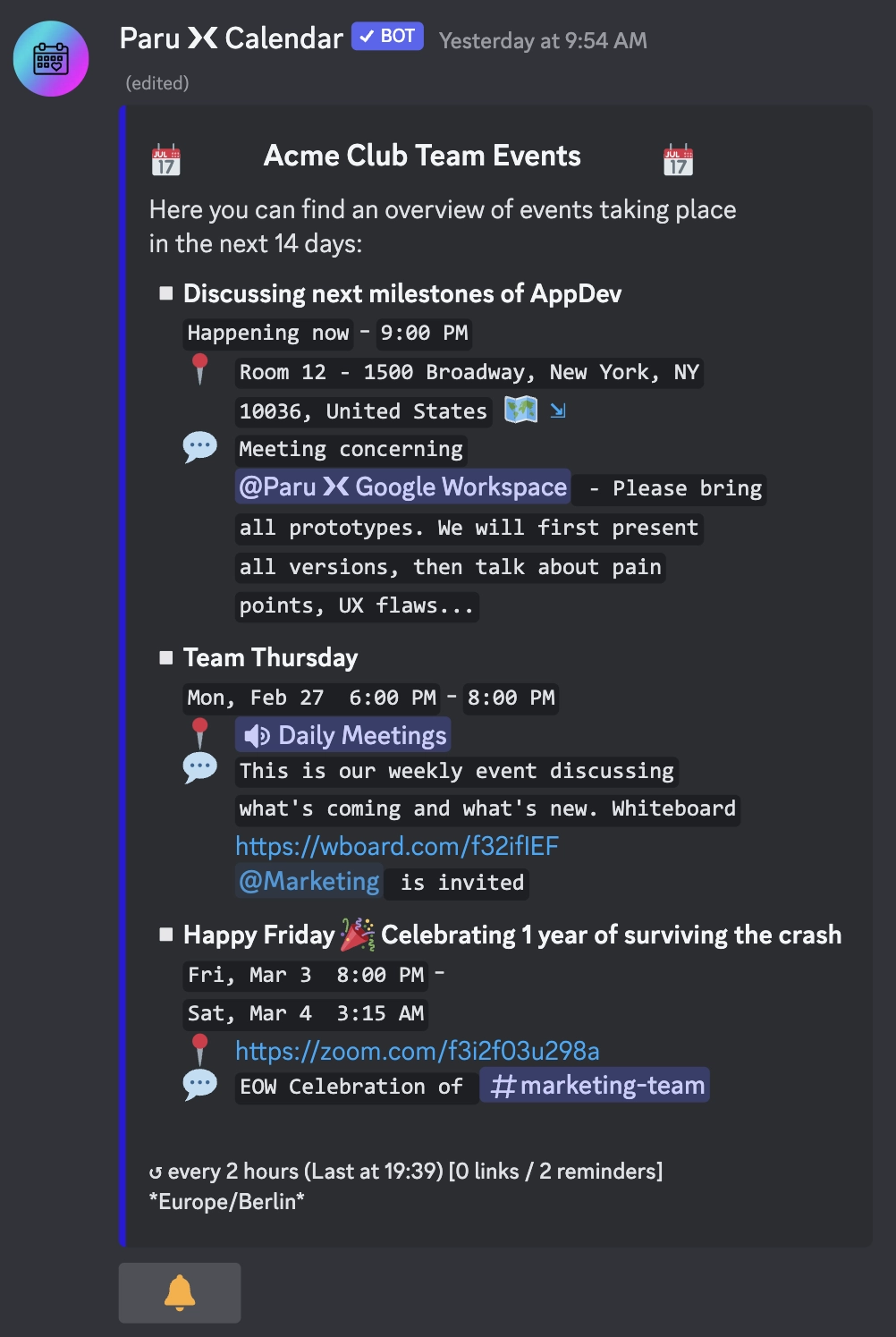
Discord has no built-in calendar and no official Outlook or Apple Calendar integration. The workaround is simple: almost every calendar app can publish an iCal (ICS) link, and a calendar bot can read that link and display the events in a channel. If you use Google Calendar, see Google Calendar to Discord instead.
Outlook and Microsoft 365
- Open Outlook on the web and go to Settings → Calendar → Shared calendars.
- Under Publish a calendar, choose the calendar and set the permission to “Can view all details” (or titles and locations only, if you want to hide details).
- Click Publish and copy the ICS link.
If you get stuck, search Microsoft’s help for “publish your calendar” in Outlook on the web.
Apple Calendar (iCloud)
- In the Calendar app, right-click the calendar and choose Share Calendar.
- Enable Public Calendar and copy the link.
- If the link starts with
webcal://, replace that withhttps://before using it.
A public calendar can be seen by anyone with the link, so use a separate calendar for events you want to show in Discord.
Link it to Discord
- Add Paru to your server.
- In the channel for the calendar, run
/paru create. - Run
/paru linkand paste the ICS link.
Paru keeps the calendar message up to date by itself. By default it refreshes every 24 hours, and premium plans refresh faster. On paid plans you can link several calendars, for example Outlook and Google Calendar, into one Paru calendar. The free plan allows one link per calendar.
PM & Channel reminders
Timezone-native. Fully customizable.
2-Way- Discord Events sync
25 language support. Mobile-optimized.
FAQ
Does it work with other calendar apps?
Yes. Any calendar that can publish an iCal/ICS link works the same way. See the manual for all commands.
Will changes show up in Discord?
Yes. When you change an event in Outlook or Apple Calendar, the Discord calendar picks it up on its next refresh.