
Discord Events and Google Calendar - Sync Your Calendar to Discord Events
Published at Tue Sep 29 2026
Discord has a built-in Events feature with an “Interested” button and a list of upcoming events. The problem is that these events live only inside Discord, while most teams plan in Google Calendar. Keeping both in sync by hand means entering every event twice, and one of them is always out of date.
What a sync can do
A calendar bot that supports Discord Events can connect the two systems:
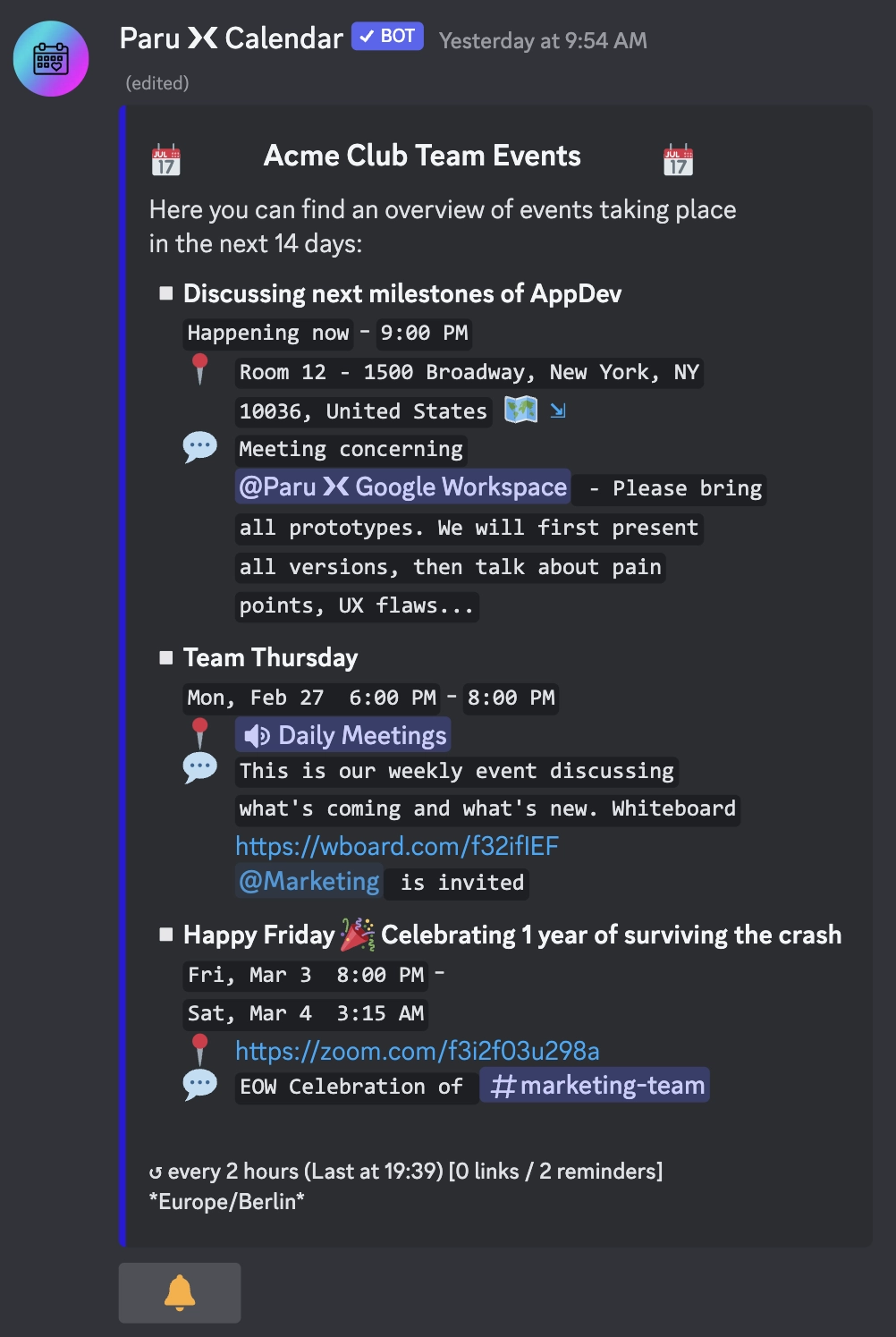
- Paru to Discord: events from your linked Google Calendar also appear as Discord events, so members can click “Interested” and see them in the server’s event list.
- Discord to Paru: events that someone creates in Discord show up in the Paru calendar in your channel. Nothing is written back to Google Calendar, which stays read-only.
With Paru, each direction is a separate setting, so you only turn on what you need.
How to set it up
- Add Paru and create a calendar with
/paru create. - Link your Google Calendar with
/paru link(see the Google Calendar guide). - Run
/paru modifyand enable the sync you want: from Paru to Discord, from Discord to Paru, or both.
The calendar message in the channel and the native Discord events then show the same plan. Check the manual for the details of each option.
PM & Channel reminders
Timezone-native. Fully customizable.
2-Way- Discord Events sync
25 language support. Mobile-optimized.
When is two-way sync worth it?
- Communities with several organizers. Some prefer Google Calendar, others create Discord events directly. Syncing means members see everything in one place.
- Servers that rely on the “Interested” button. Native Discord events let Discord itself notify interested members when the event starts.
- Teams with an existing calendar. You keep Google Calendar as the main source and still use Discord’s event features.
FAQ
Do I need Google Calendar for Discord Events sync?
No. Any ICS/iCal calendar can be linked, and you can also use Discord Events as the starting point.
Can I turn the sync off again?
Yes. The sync options can be changed any time with /paru modify.